
Your ShreeWin account holds personal details, transaction history, and funds. Keeping it secure is your responsibility. One small mistake, like clicking a fake link or sharing your OTP, puts everything at risk.
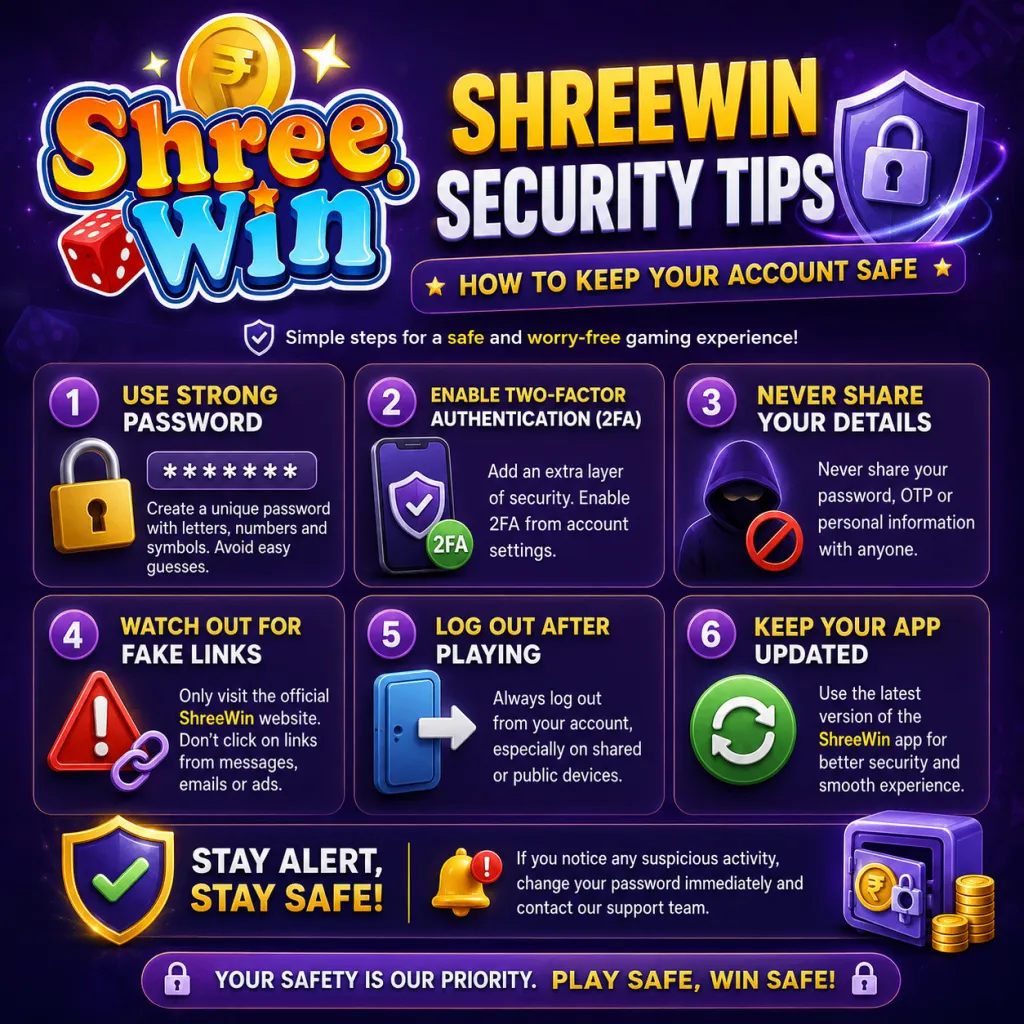
This guide covers practical ShreeWin security tips that protect your account from scams, hackers, and common user errors. Follow each step and build strong safety habits.
Why ShreeWin Security Matters
Online gaming platforms handle real money, UPI transactions, and sensitive data. Attackers target these platforms because users often reuse passwords or trust unofficial links.
Here is what happens when security is weak:
- Fake apps steal login credentials
- Phishing links drain linked bank accounts
- Shared OTPs lead withdrawal to unauthorized unauthorizeds
- Weak passwords allow brute-force attacks
Strong security keeps your money and data under your control. The tips below show you exactly how to do that.
Keep Your Password Safe
Your password is the first wall of defense. A weak or reused password is easy to crack.
Follow these rules:
- Use at least 8 characters with a mix of letters, numbers, symbols and
- Do not reuse your ShreeWin password on other apps or websites
- Change your password every 60 to 90 days
- Store it in a password manager instead of a note on your phone
- Never save your password on shared or public computers
When you ShreeWin Login, always check that the URL is correct before entering your password. Fake login pages look but steal your details.
Never Share OTP or UPI PIN
Your OTP and UPI PIN are private. No one from ShreeWin, your bank, or any support team ever assed for them.
Remember this:
- OTPs are generated for your eyes only
- UPI PINs protect your bank account directly
- Scammers intend to be support agents and ask for these codes
- Sharing one gives full access to your account or bank balance
If someone calls, messages, or emails you asking for an OTP or PIN, block them immediately. Report the incident to ShreeWin Support so they can take action.
Download APK Only from Official Website
Third-party APK files are one of the biggest threats to ShreeWin users. These files look like the real app but contain malware.
Here is how to stay safe:
- Download the app only from the ShreeWin App Download page
- Do not trust links from YouTube comments, forums, or social media posts
- Check the file size and developer name before installing
- Enable “Install from unknown sources” only for the official file
- Delete any old APK files sitting in your downloads folder
Fake APKs log your keystrokes, capture your screen, and send your data to attackers. The official source is the only safe source.
Avoid Fake Telegram and WhatsApp Links
Scammers create fake Telegram channels and WhatsApp groups that promise bonus money, free credits, or hacked versions of ShreeWin.
Watch out for these signs:
- Channels with names very close to the official brand but with extra characters
- Messages promising guaranteed winnings or free deposits
- Links that redirect through URL shorteners or strange domains
- Group admins asking for your login details to “verify” your account
Join only official channels. If you want to register safely, use the ShreeWin Register page directly. Use invite code 88u7k9p2m4 during signup to ensure your account is created through the correct channel.
Use Your Own UPI and Bank Account
Linking someone else’s UPI ID or bank account to your ShreeWin profile creates legal and financial problems.
Keep these points in mind:
- Always use a UPI ID and bank account registered in your own name
- Mismatched lead names to withdraw failed and account reviews
- Using another person’s details violates platform terms
- It impossible to recover funds if the other person disputes a transaction
When you make a ShreeWin Deposit or request a ShreeWin Withdrawal, the system checks that the name matches registered your profile. Save yourself the trouble and use your own accounts from day one.
Logout After Using Shared Devices
Shared phones, tablets, or computers at cyber cafes and friends’ houses put your account at risk.
Make this a habit:
- Always log out after every session
- Do not check “Remember me” or “Keep me logged in” on public devices
- Clear the browser cache and cookies when finished
- Use the mobile app instead of browsers on shared devices when possible
If you forget to log out, the next person who use that device has full access to your account and funds.
Common Security Mistakes to Avoid
Even careful users slip up sometimes. Here are the most common mistakes that lead to compromise accounts:
- Clicking links in SMS messages claiming to be from ShreeWin
- Using simple passwords like “123456” or your birth date
- Ignoring app updates that patch security holes
- Logging in over public Wi-Fi without a VPN
- Screenshotting OTPs and sharing them in chats
- Delaying password changes after suspicious activity
Review this list once a month. Small changes in behavior make a big difference in account safety.
Frequently Asked Questions
Can ShreeWin staff ask for my password?
No. Official staff never ask for your password, OTP, or UPI PIN. Anyone who does is a scammer.
Is it safe to use ShreeWin on public Wi-Fi?
Public Wi-Fi is risky. Avoid logging in or making transactions unless you use the trusted mobile data connection.
What do I from if I installed a fake APK?
Uninstall it immediately. Run a security scan on your phone. Change your ShreeWin password and UPI PIN. Contact ShreeWin Support to alert them.
Should I update the ShreeWin app when prompted?
Yes. Updates fix security bugs and improve protection. Always install updates from the official download page.
Can I share my account with a friend?
No. Sharing your account violates terms and exposes your funds. Each user should have their own account.
Can ShreeWin staff ask for my password? No. Official staff never ask for your password, OTP, or UPI PIN. Anyone who does is a scammer.
Is it safe to use ShreeWin on public Wi-Fi? Public Wi-Fi is risky. Avoid logging in or making transactions unless you use the trusted mobile data connection.
What do I from if I installed a fake APK? Uninstall it immediately. Run a security scan on your phone. Change your ShreeWin password and UPI PIN. Contact ShreeWin Support to alert them.
Should I update the ShreeWin app when prompted? Yes. Updates fix security bugs and improve protection. Always install updates from the official download page.
Can I share my account with a friend? No. Sharing your account violates terms and exposes your funds. Each user should have their own account.
Final Words
ShreeWin security tips are not complicated. They come down to a few simple habits: use strong passwords, keep OTPs private, download only from official sources, and avoid fake links. These steps reduce your risk and keep your account under your control.
Stay alert. Scammers constantly create new tricks. When in doubt, visit the official website indirectly instead of clicking a link.
Disclaimer: This guide is for informational purposes only. ShreeWin’s platform policies and technical features are subject to change. For the most accurate and up-to-date assistance, contact ShreeWin’s official support team directly.