
Losing access to a ShreeWin account is not like losing a social media login. Your balance, VIP level, and referral team are all sitting behind that login, and none of it moves until you’re back inside.
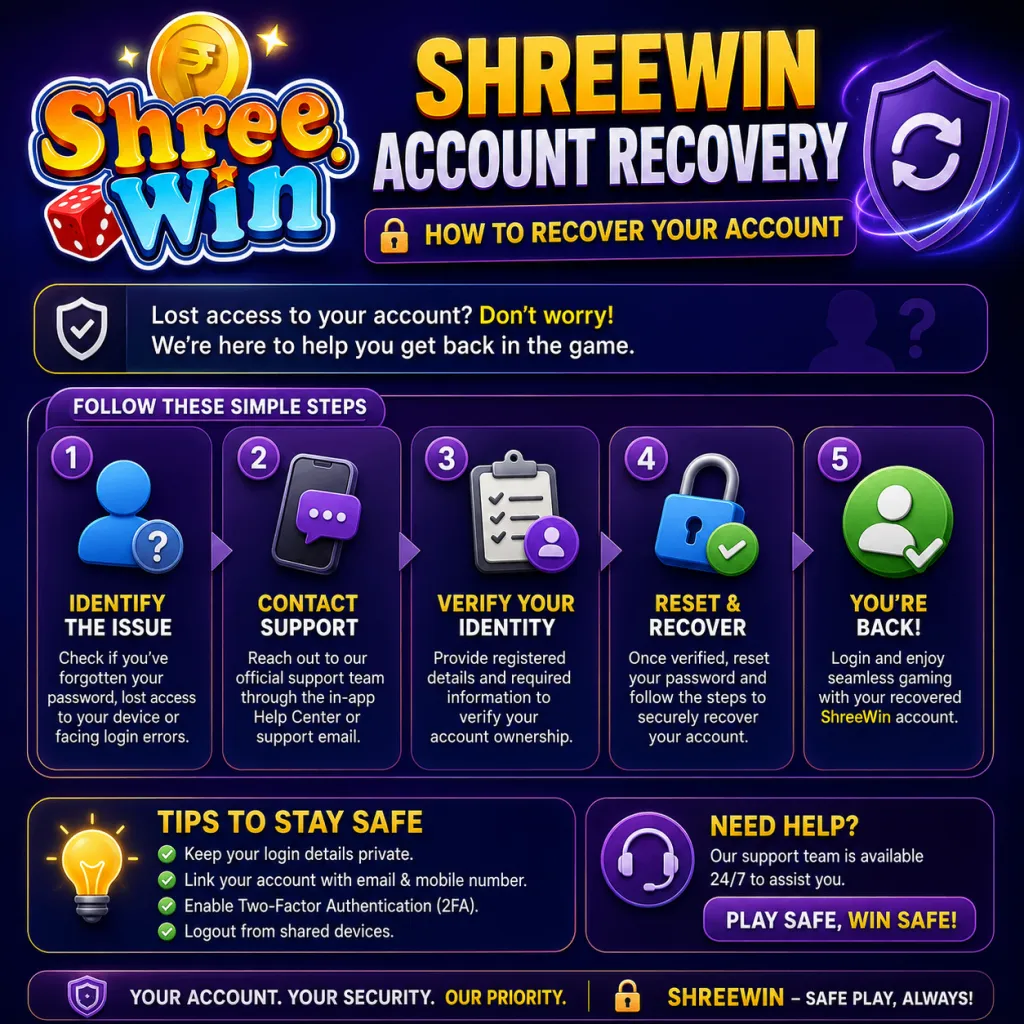
The good news: recovery paths exist for every common lockout — forgotten passwords, lost phone numbers, blocked accounts, and login errors. The straight talk: every one of those paths ends in a verification decision, not a guaranteed outcome. The account goes back to whoever proves ownership. This page walks through each path and how to give verification its best shot.
What is ShreeWin Account Recovery?
Account recovery is the umbrella term for everything that gets you back into your account:
- Resetting a forgotten password
- Regaining access when your registered mobile number is lost
- Appealing a blocked account
- Fixing login problems that aren’t really account problems at all
All four run through the same two channels: your registered mobile number and official support.
The single most important fact in account recovery: your registered mobile number is the master key. Password reset OTPs go there, and support verification starts from it. Keep that number active and in your possession, and most recovery situations resolve quickly. Lose it, and everything gets slower and harder — the next section shows why.
How to Recover Forgotten Password
The standard flow, start to finish:
- Open the login page.
- Tap forgot password. The ShreeWin Password Reset option sits right on the login screen.
- Enter your registered mobile number.
- Receive the OTP by SMS.
- Enter the OTP and set a new password.
- Log in with the new password.
The whole thing takes a couple of minutes when the phone with your registered number is in your hand.
When the OTP doesn’t arrive:
- Wait for the resend timer instead of hammering the button — repeated requests freeze the flow.
- Check your signal and restart the phone.
- Check that SMS filtering isn’t diverting the message.
Two things to know before you start:
- If the registered number is also lost, skip to the next section — a password reset is useless without the SIM that receives the OTP.
- Set a password you haven’t used anywhere else. Reused passwords are how accounts get taken over in the first place, and recovering from a hijack is far harder than recovering from a forgotten password.
How to Recover Your Mobile Number
This is the serious recovery scenario: the phone is lost, the SIM is gone, or you’ve moved to a new number entirely. There are two situations, and they work very differently.
Situation one: lost SIM, same number. Contact your telecom operator and request a replacement SIM for the same number. Operators issue replacement SIMs against ID verification, and once the new SIM activates, nothing on ShreeWin’s side has changed — your number is your number, and OTPs start arriving again. This is always the fastest path, because the account never needs to know anything happened.
Situation two: the number is permanently gone. Contact ShreeWin Support and request a registered number change. This is a security-sensitive operation — it’s the same process a thief would use to steal an account — so support verifies ownership before touching anything. Expect questions along these lines:
- The old registered mobile number
- Recent deposit amounts and dates
- Current wallet balance
- Referral or invite details attached to the account
Answer them through the official support channel only, and never in a public group. A person reviews each case, so this takes considerably longer than a password reset.
The honest part: verification decides the outcome. If ownership can’t be established, the account stays locked. That’s account security doing its job — even when it’s doing it against you.
What to Do If Your Account Is Blocked
A block message at login means the platform restricted the account. Work through it in this order:
- Read the message. The block screen states or points to the reason.
- Contact support through the official channel with your registered number and ask for the specific reason.
- Cooperate with verification. The same ownership checks apply as with a number change.
- Follow the instructions given — nothing else on this page substitutes for what support tells you about your case.
Blocks come in two kinds, and they end differently:
- Security blocks. Triggered by unusual login activity, too many failed password attempts, or suspicious transactions. These exist to protect the account, and verification clears them.
- Rule-violation blocks. Multiple accounts, abuse of promotions, or terms violations. These follow the platform’s terms, and the terms decide the outcome. Not every block is reversible, and no page on the internet changes that.
The one mistake that makes everything worse: registering a fresh account while blocked. The same number won’t register again, and a different number registers as a second account — the exact violation that hardens blocks into permanent ones. Wait for support’s answer instead.
If the platform permanently closes an account and confirms a fresh start is permitted, the only clean path is official registration: complete ShreeWin Register with your new number and invite code 88u7k9p2m4.
How to Restore Access After Login Problems
Not every lockout is a lost account. Half of all “I can’t log in” cases are one of these, and none of them need recovery:
- Password is right but login fails. Re-check the number for typos and stray spaces, confirm the password’s capital letters, and retype both slowly.
- OTP never arrives. Signal, resend timer, SMS filters, full message storage. Rule these out before concluding anything is wrong with the account.
- “Account not found” error. The number you entered isn’t registered — usually a typo, sometimes a forgotten second number.
- Session expired or logged out. Normal behavior. Log in again through ShreeWin Login.
- App misbehaving. Clear the app cache, or uninstall and reinstall — from the official download page, never from a link someone sent you. Fake APKs are behind a surprising share of “login problems.”
After any successful recovery, do two things before returning to play: change the password again from inside the account, and scan your transaction history for anything you don’t recognize.
Common Account Recovery Mistakes to Avoid
- Guessing passwords repeatedly. Ten wrong attempts turn a forgotten password into a security lockout — two problems instead of one. Use the reset flow at the first sign of trouble.
- Creating a second account. It never restores the first account, it collides with the multi-account rule, and it risks both accounts in one move.
- Trusting third-party “recovery agents.” Telegram and WhatsApp account recovery services are scams — without exception. They collect your details, answer the verification questions themselves, and take whatever they reach. Official support is the only recovery channel that exists.
- Posting account details publicly. Broadcasting your number, balance, or deposit history in a group hands scammers the exact answers support asks for.
- Reinstalling from a forwarded link. Recovering an account onto a fake APK hands it straight back to whoever built the trap. Official download page only.
- Skipping security hardening after recovery. A recovered account with the same weak password is a countdown to the next recovery. Work through the ShreeWin Security Tips checklist once you’re back inside.
Frequently Asked Questions
I forgot my password. How do I get back in?
Open the login page, tap forgot password, enter your registered number, receive the OTP, and set a new password. The whole flow runs on the SIM your number lives on.
Why do accounts get blocked?
The common reasons: multiple accounts, repeated failed logins triggering a security lock, disputes around deposits or withdrawals, and violations of the platform terms. The block message and support tell you which one applies to you.
My phone is lost. Can I still access my account?
Yes, through one of two paths. Get a replacement SIM for the same number from your operator — fastest, because the account never changes. Or contact support to move the account to a new number, which runs through ownership verification.
Can I change my registered mobile number?
Yes, through support, after ownership verification. It’s handled as a high-security change precisely because it reassigns the account’s identity.
Is my balance safe while my account is blocked?
Your balance stays on the account while it is locked. Verification decides whether access returns — which is why cooperating fully with the process matters.
Are Telegram account recovery services legitimate?
No. Every one of them is a scam. Recovery exists in exactly one place: official support. Anyone else claiming to recover accounts is collecting the details needed to take yours.
How long does recovery take?
A password reset takes minutes. Number changes and block appeals take longer, because a person reviews each case against the account’s history. No fixed timeline applies to every case.
Final Words
Every form of ShreeWin account recovery comes down to one thing: proving you own the account. Keep the registered number active and in your hands, keep the password unique, run every recovery through official support, and refuse every third party who claims a shortcut — because the shortcut is the scam.
And keep expectations level. Each recovery path ends in a verification decision, and no outcome is guaranteed. Prevention is the only reliable recovery: a live SIM, a strong password, and the official app from the official page make this entire page unnecessary.
Disclaimer: This page is for informational purposes only and does not guarantee successful account recovery. Recovery outcomes are decided by verification and the platform’s terms. Always use official channels for account issues, and follow the guidance shown inside the ShreeWin platform. All games on the platform are chance-based and winning is not guaranteed. Play only with money you can afford to lose, set your own limits, and confirm that online gaming is legal in your region before playing. Strictly 18+.